Know where every one of your students is in every subject — without marking a thing.
A live dashboard shows each child's progress and the next action to take — with a daily email on top. Every child practises at their own level. Zero prep, zero marking.
What you get as a teacher
Everything here removes work from your day rather than adding to it.
A live classroom dashboard
A live per-child dashboard shows who is on track and who needs a nudge — and every row carries its next action, from a nudge to what to re-practise. We email you a daily digest too.
Mixed ability, solved
Every child practises at their own level, so you are not teaching to the middle of a wide-ability class.
Zero prep, zero marking
There is nothing to set and nothing to mark — and printables are there when you want paper.
Parents kept in the loop
The same child account continues at home, so parents see the same progress you do.
A live dashboard for your whole class
Open one screen to see who needs attention today — then open any child to see every concept they've mastered and the exact next step to send.
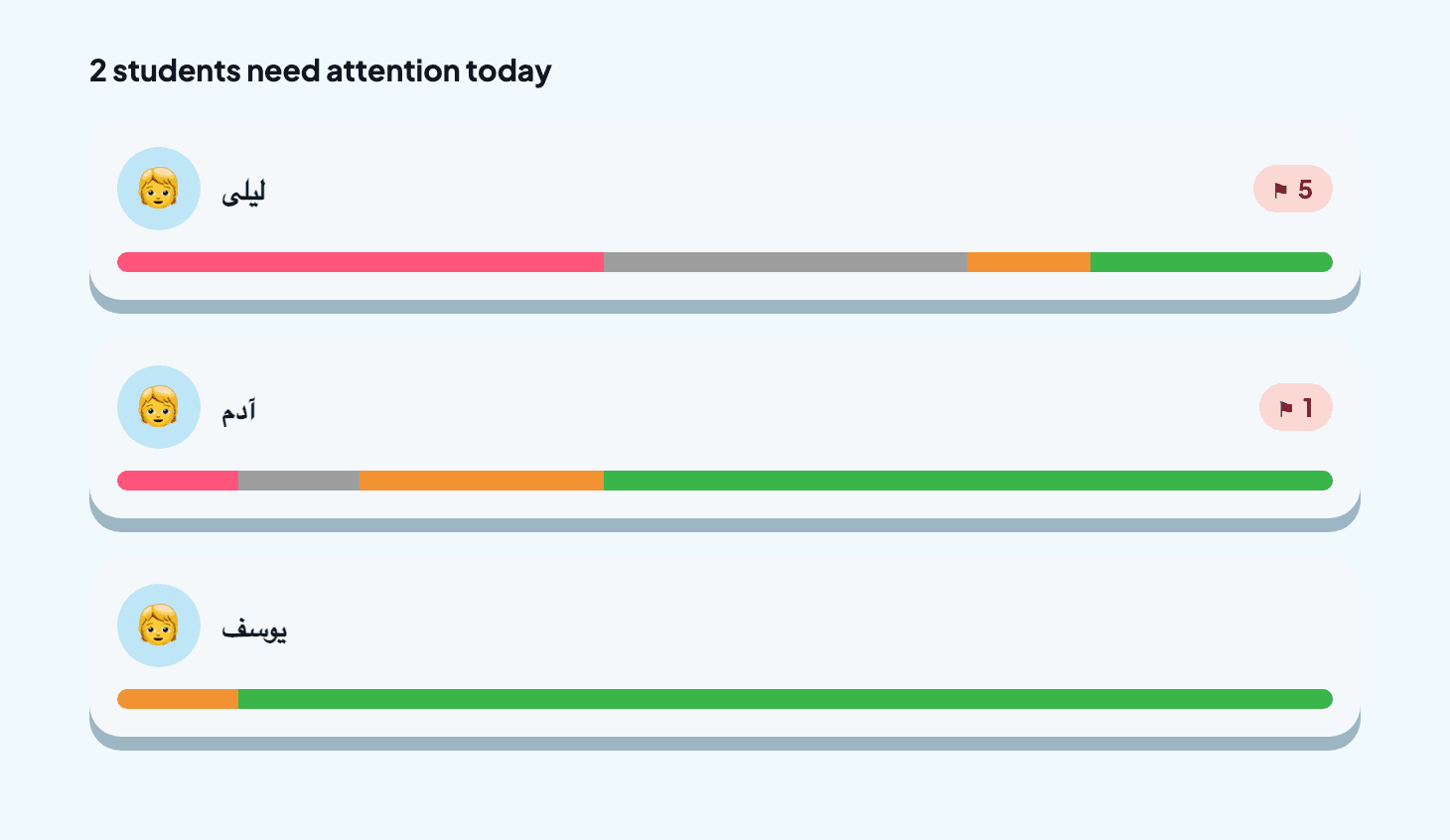
- Open one screen — the class is triaged for you.
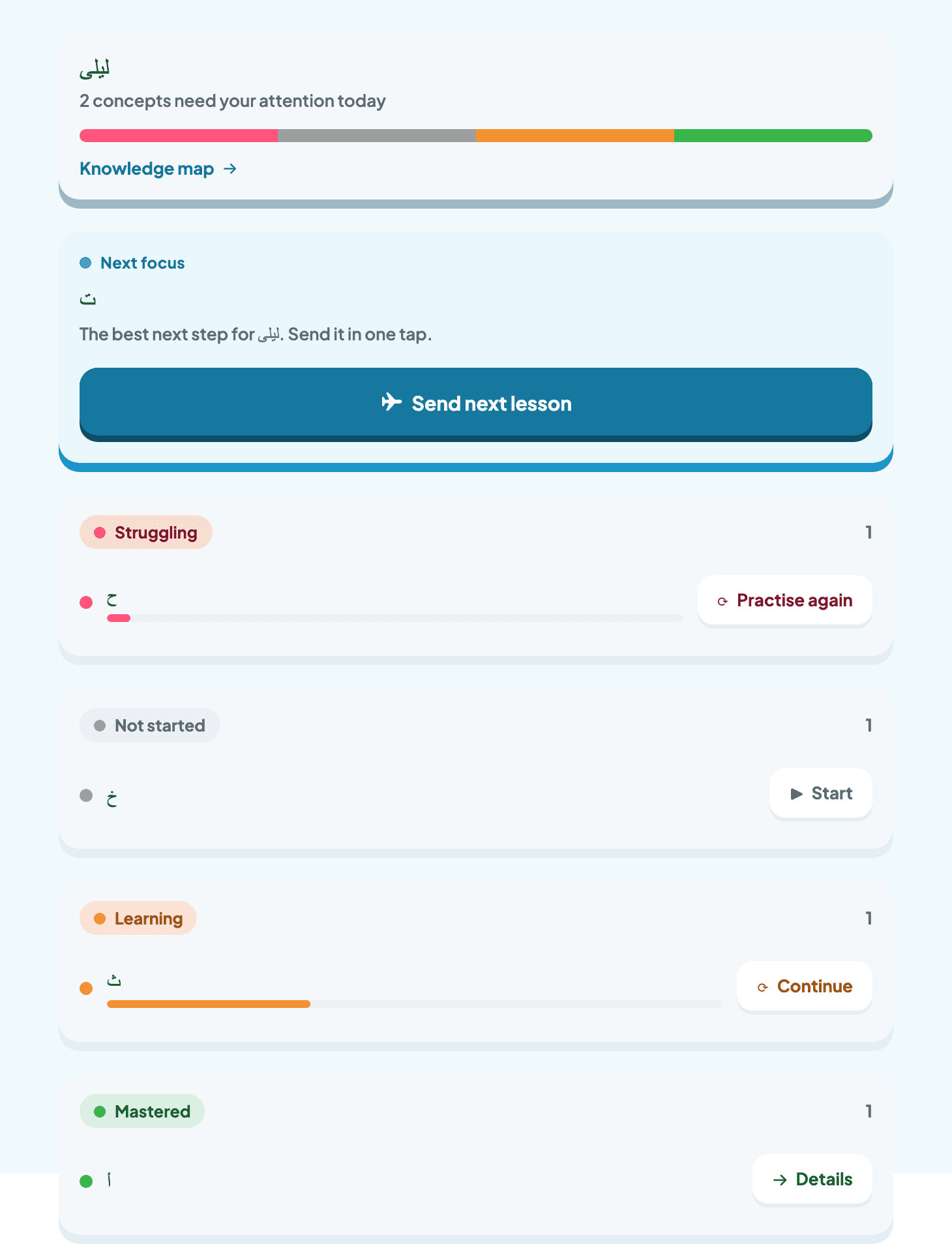
- The best next step, ready in one tap.
What the teacher dashboard does
One screen, built for a busy classroom — see the whole class at a glance, then open any child.
Class health at a glance
One glance shows who is on track and who needs a nudge today — the class is triaged for you before you open a single child.
Per-student mastery
Open any learner to see every concept they have mastered, are still learning, or need to revisit — each row carries its next step.
Search your roster
Jump straight to any child by name — no scrolling a long class list to find the one you are looking for.
Adaptive knowledge map
Every child's progress becomes a living knowledge map, so you can see concept by concept what to teach next.
And we still email you every morning
Prefer your inbox to a dashboard? A daily per-child digest arrives each morning with the same on-track / needs-a-nudge picture — a one-minute companion to the live dashboard, no logging in.
Alphazed · Daily class digest
Example digestHow your class practised yesterday
- On track
Amir
Arabic · Letter sounds
- Keep practising
Layla
Maths · Counting to 20
- On track
Omar
Science · Living things
- On track
Sara
English · First reading words
- Keep practising
Yusuf
Arabic · Joining letters
See what each learner has mastered
Every child's Arabic becomes a living knowledge map — so you can see, concept by concept, what they already know and what to teach next.
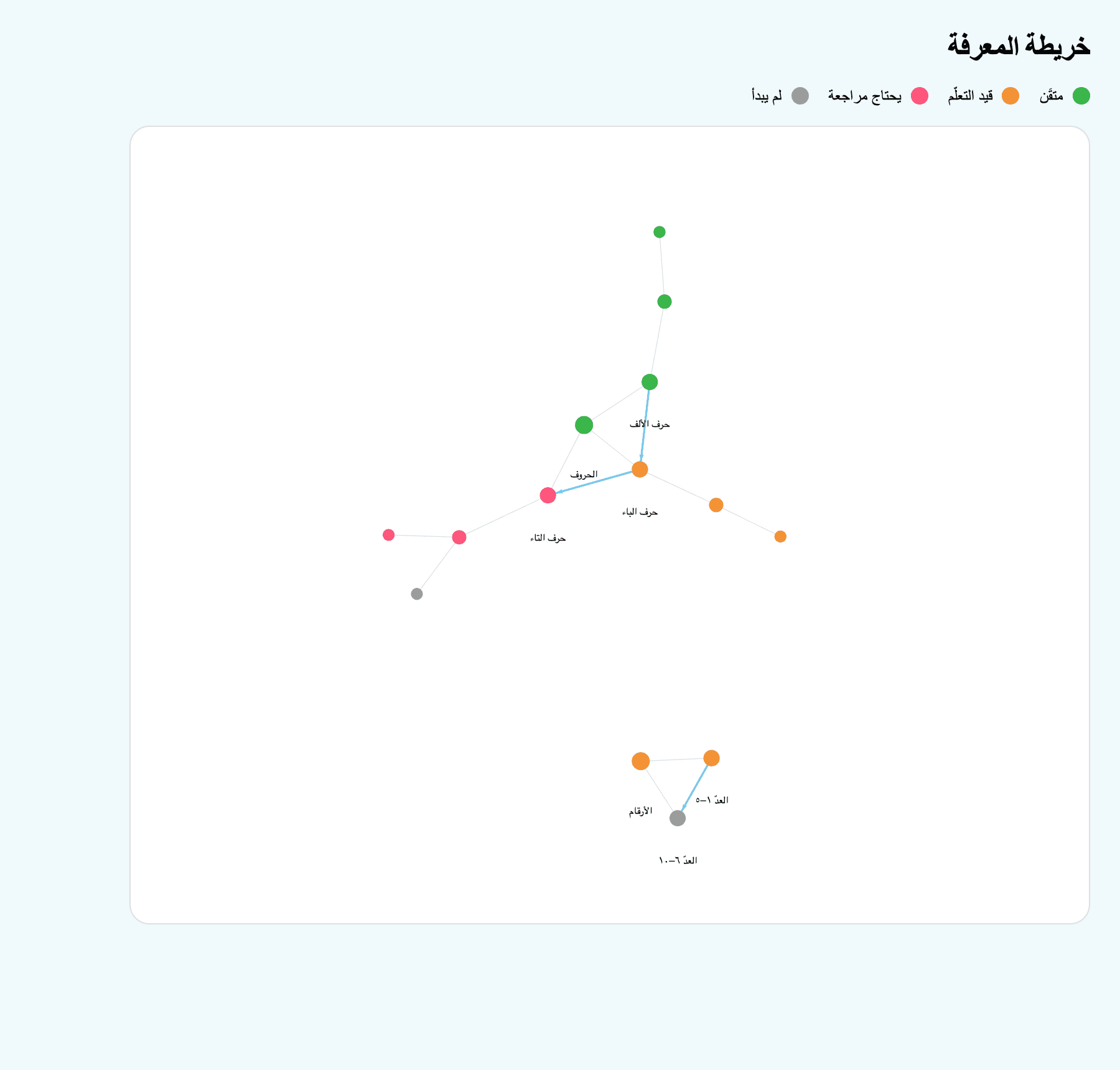
- Mastered
- Still learning
- Needs another pass
- Not started yet
A week with Alphazed in your class
Monday: assign nothing
Children keep practising across their subjects at their own level, in class or at home. You set nothing up.
Any time: open the dashboard
Open the live dashboard whenever you like — it shows who moved forward and who is stuck, with the next action on every row. A daily email arrives too.
In class: teach where it counts
Spend your lesson time where the dashboard points, instead of guessing who needs help.
Setting up takes minutes
Tell us about your class and we do the rest.
- 1
Tell us about your class
Get in touch with your class size and the ages you teach.
- 2
We create your classroom
We set up your classroom and child logins for you — no admin, no training.
- 3
Teach as usual
Carry on teaching. Your live dashboard is ready straight away, and the daily email starts arriving the next morning.
Made for teachers, not IT departments
No training, works on any device, and ad-free. Alphazed runs alongside whatever you already teach.
Set up your classroom
Tell us about your class and we will get your classroom ready.
Prefer email? Write to us at hello@thealphazed.com