See who needs you today.
Open one screen and your class is already triaged — who's struggling, who's ready to move on, and the exact next step for each child.
1 · For teachers
The class, triaged for you
No marking, no digging. Amal flags the two or three children who need you today and shows each one’s mastery at a glance.
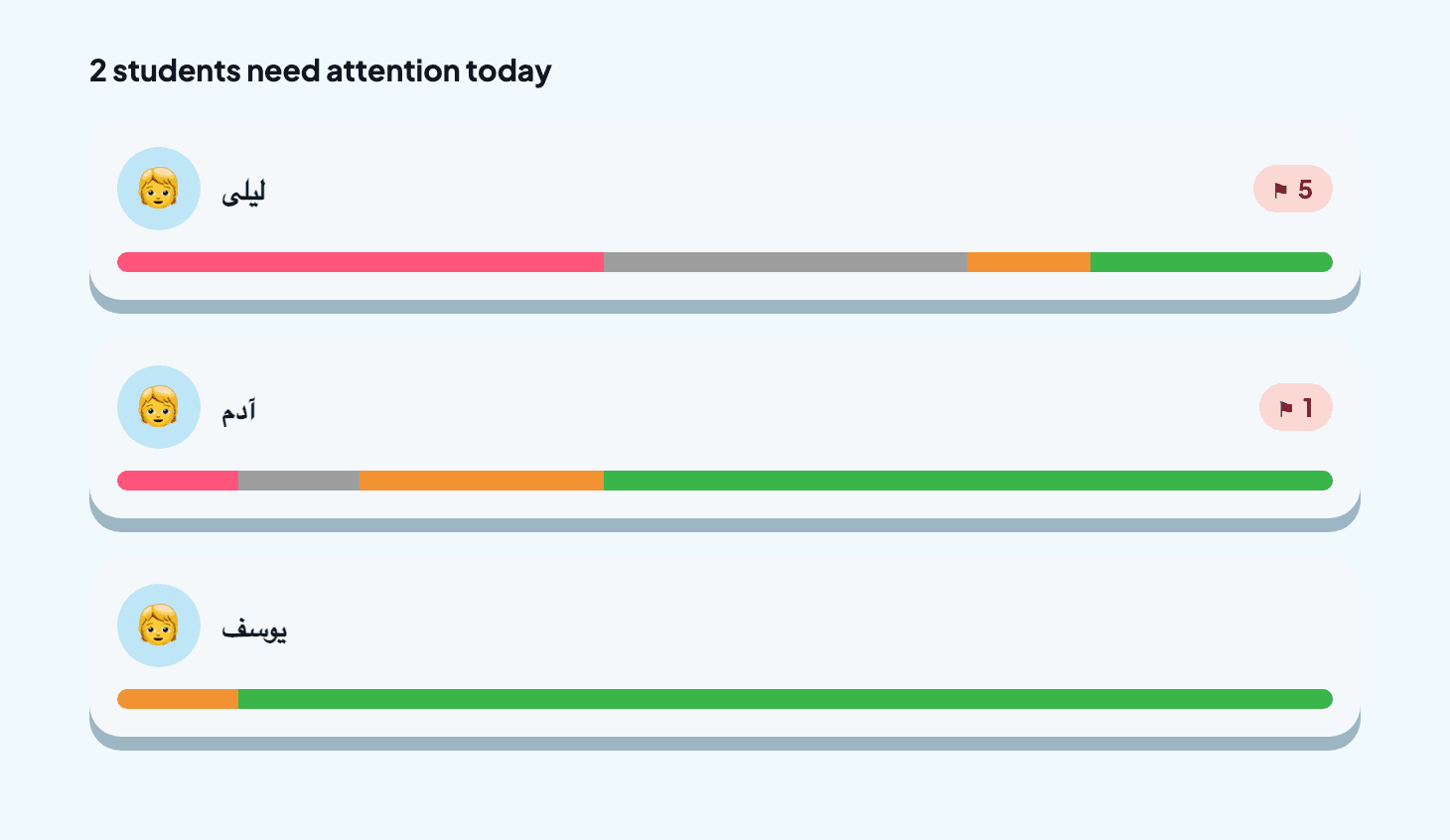
- Open one screen — the class is triaged for you.
2 · For parents
Every concept, and the next step
Open your child and see each concept grouped by how they're doing — with the best next lesson ready to send.
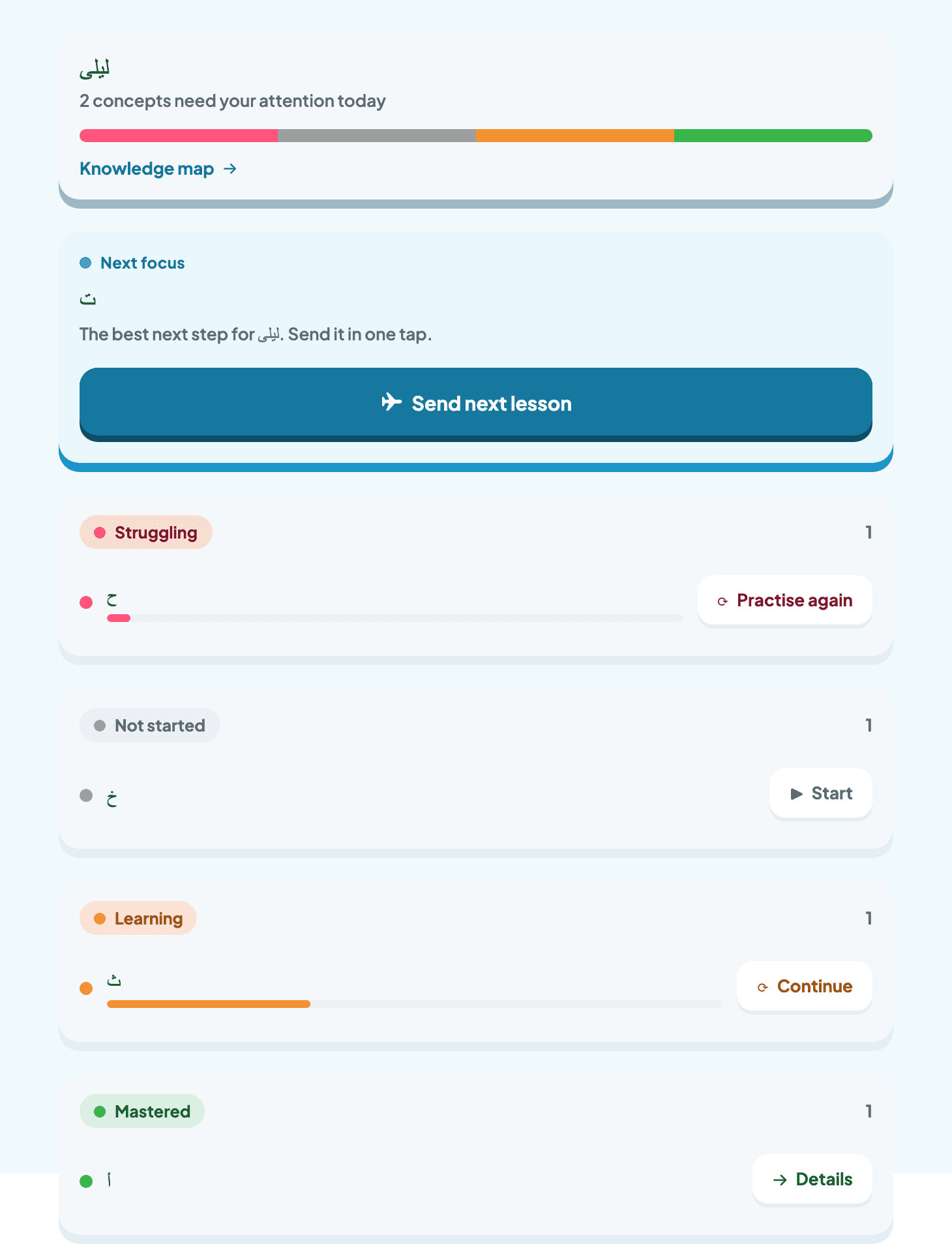
- The best next step, ready in one tap.
3 · The colours
One colour language, everywhere
Green is mastered, amber is still being learned, red needs another pass, grey is not started yet — the same colours on the dashboard and the knowledge map.
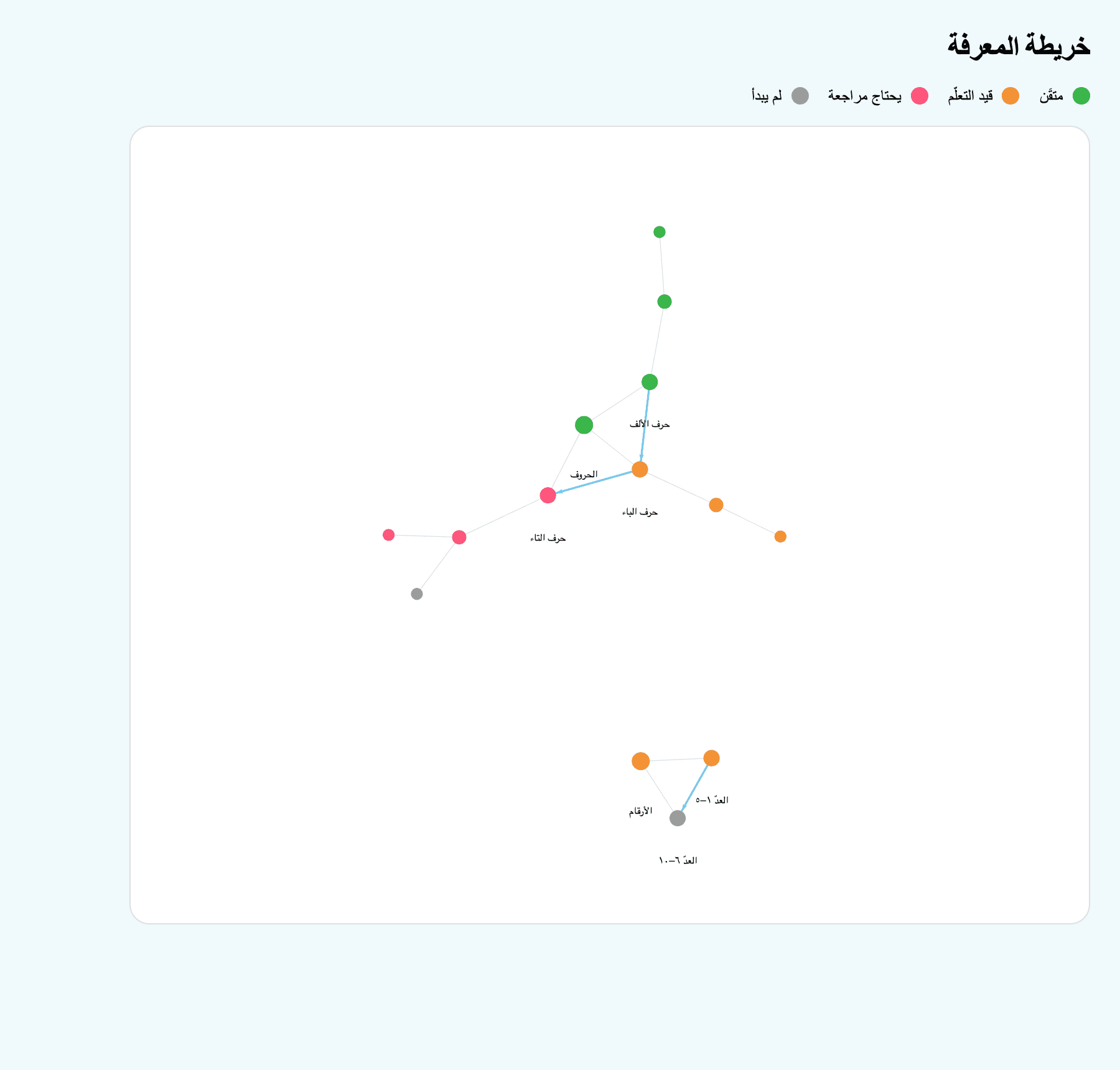
- Mastered
- Still learning
- Needs another pass
- Not started yet
Bring it to your class
Download Amal and open the dashboard on your first day.